Your own AI key, in about two minutes.
Orty includes 5 hosted credits a month, so you can start with no key at all. If you hit that limit, a key of your own keeps you going — you pay the provider directly, often on their free tier. This page shows every click for Google Gemini and Groq, then covers the other providers Orty supports.
Google Gemini API key
From Google AI Studio. New keys are created as auth keys; use a restricted key rather than an unrestricted standard one.
Open the API Keys page
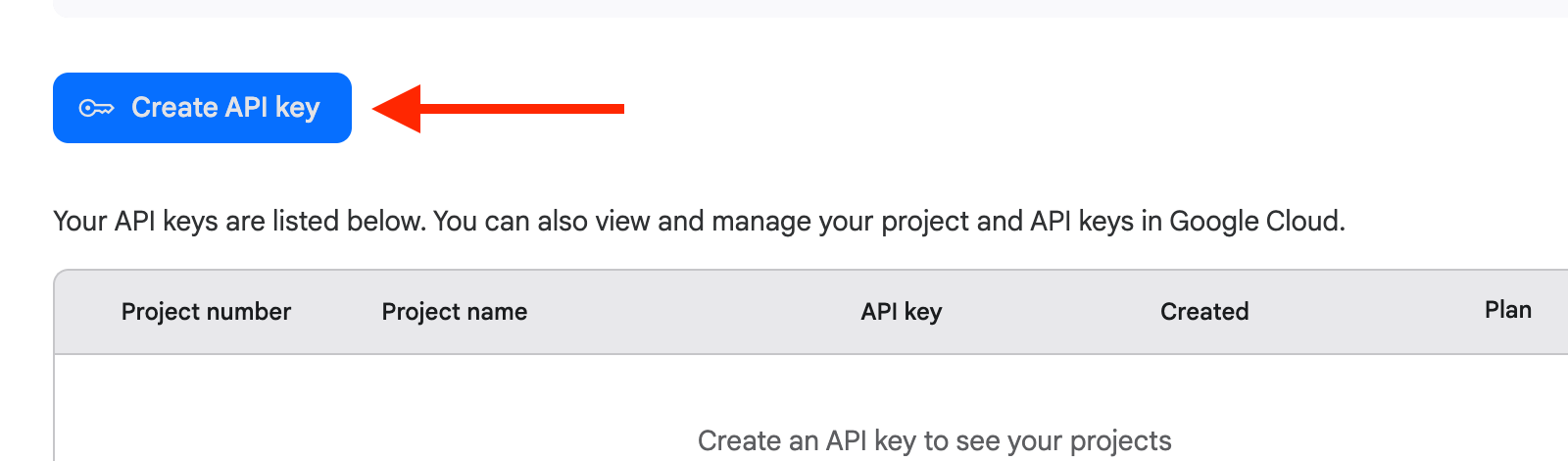
Sign in with your Google account at aistudio.google.com/apikey. You may be asked to accept the Terms of Service; a default project is created for new users. The Create API key button is at the top of the table.
Create the key and copy it
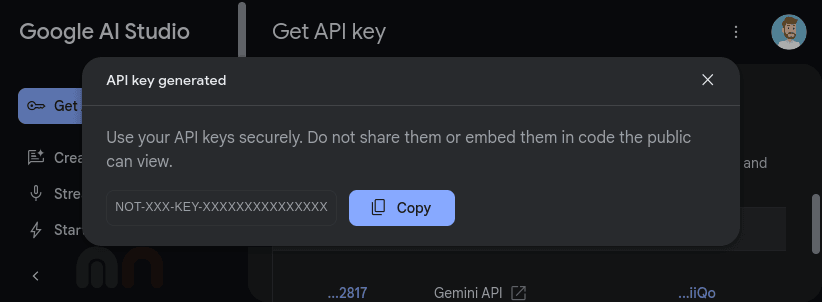
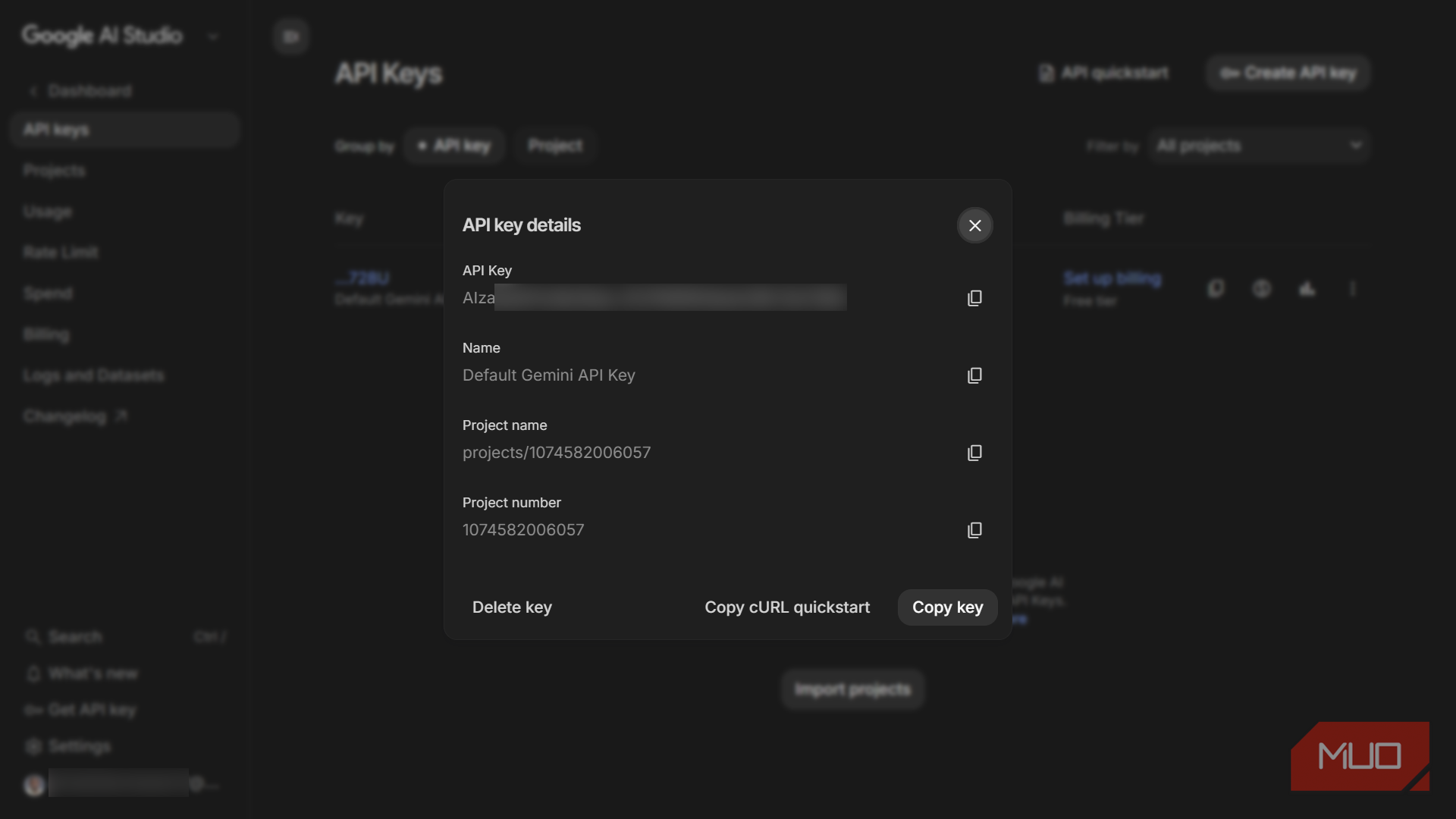
Click Create API key. In the current AI Studio layout, choose a project when asked, then use Copyin the “API key generated” dialog. In the newer API Keys view the key appears in an API key details panel — use Copy key. Treat it like a password.
Paste it into Orty and verify
In Orty, open Settings → AI & keys, find Gemini API key, paste the key, and click Verify. Then click Save Configuration. See the Orty field below.
Groq API key
From the GroqCloud Console. Groq is the fastest path to a free key if you want to stay entirely inside Orty's BYOK flow.
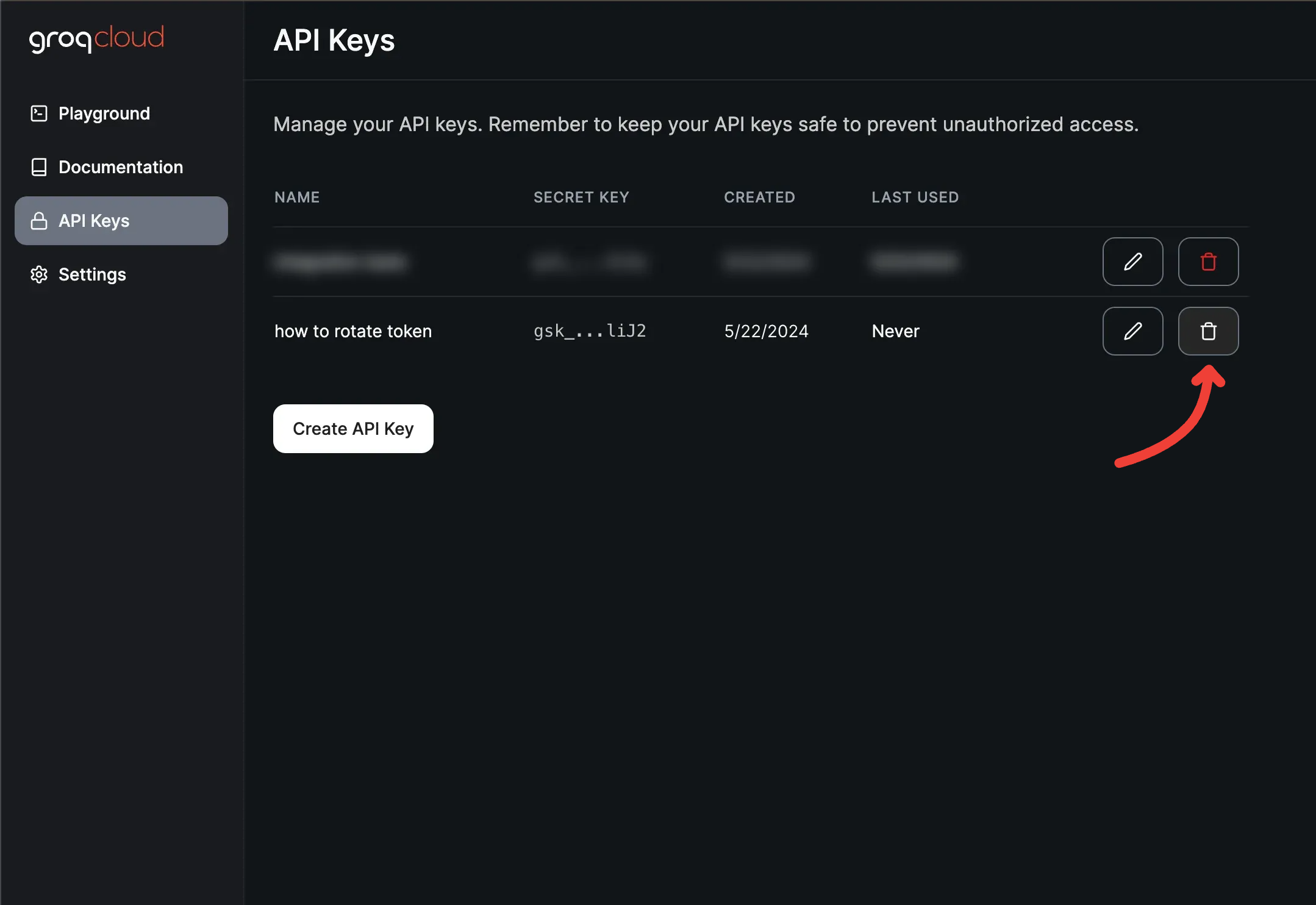
Open API Keys in GroqCloud
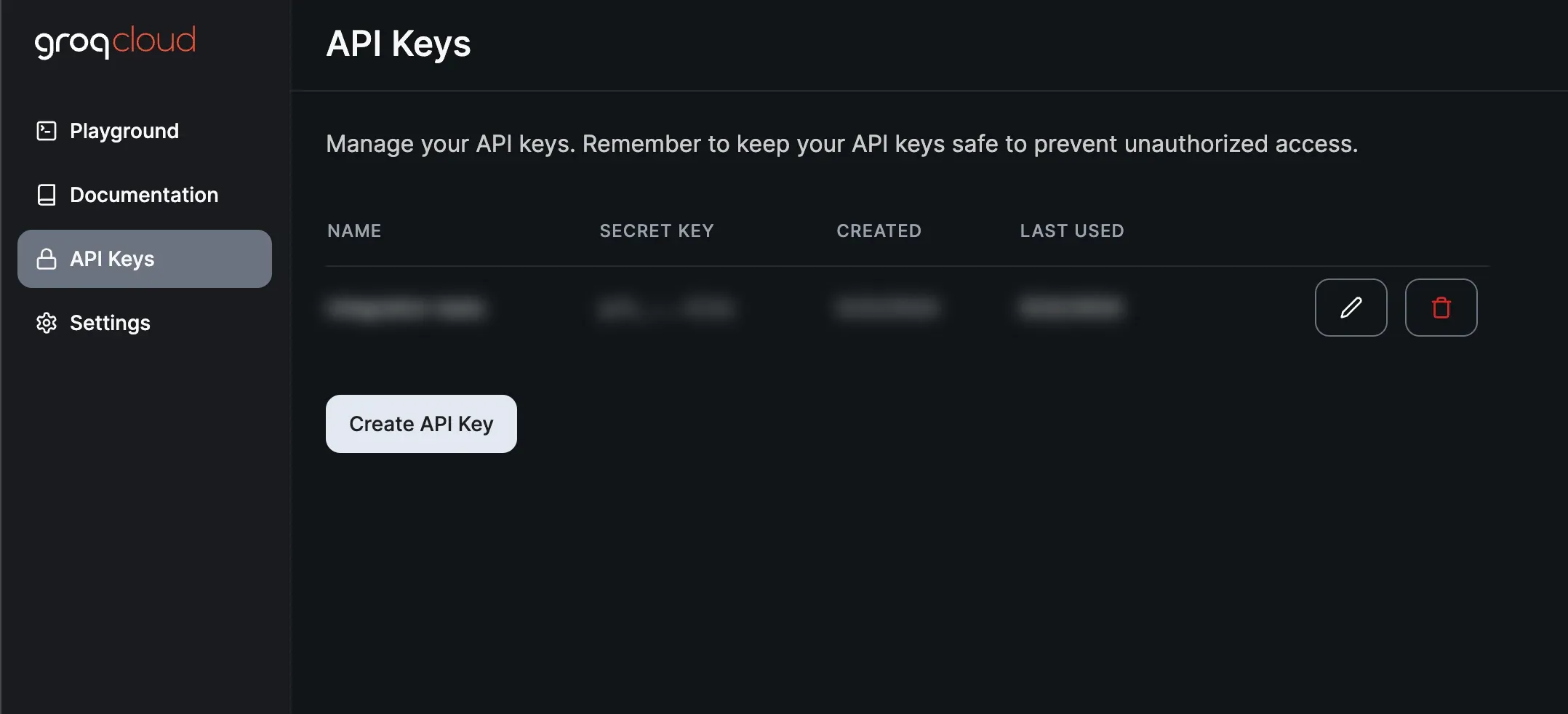
Go to console.groq.com/keys and sign in. The API Keys page lists your keys and has a Create API Key button.
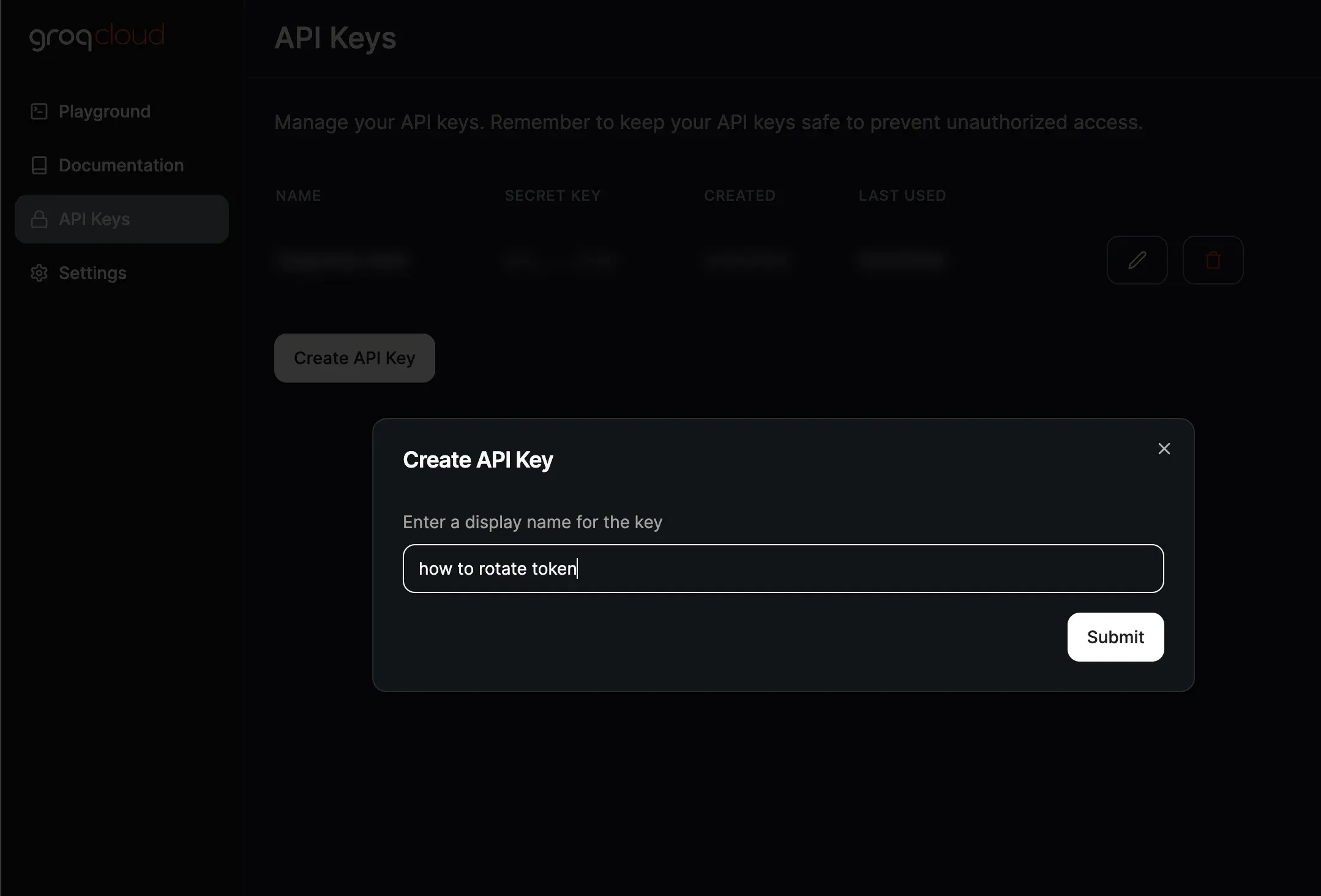
Name the key and submit
Enter a display name (something like Orty so you know what it is for) and click Submit.
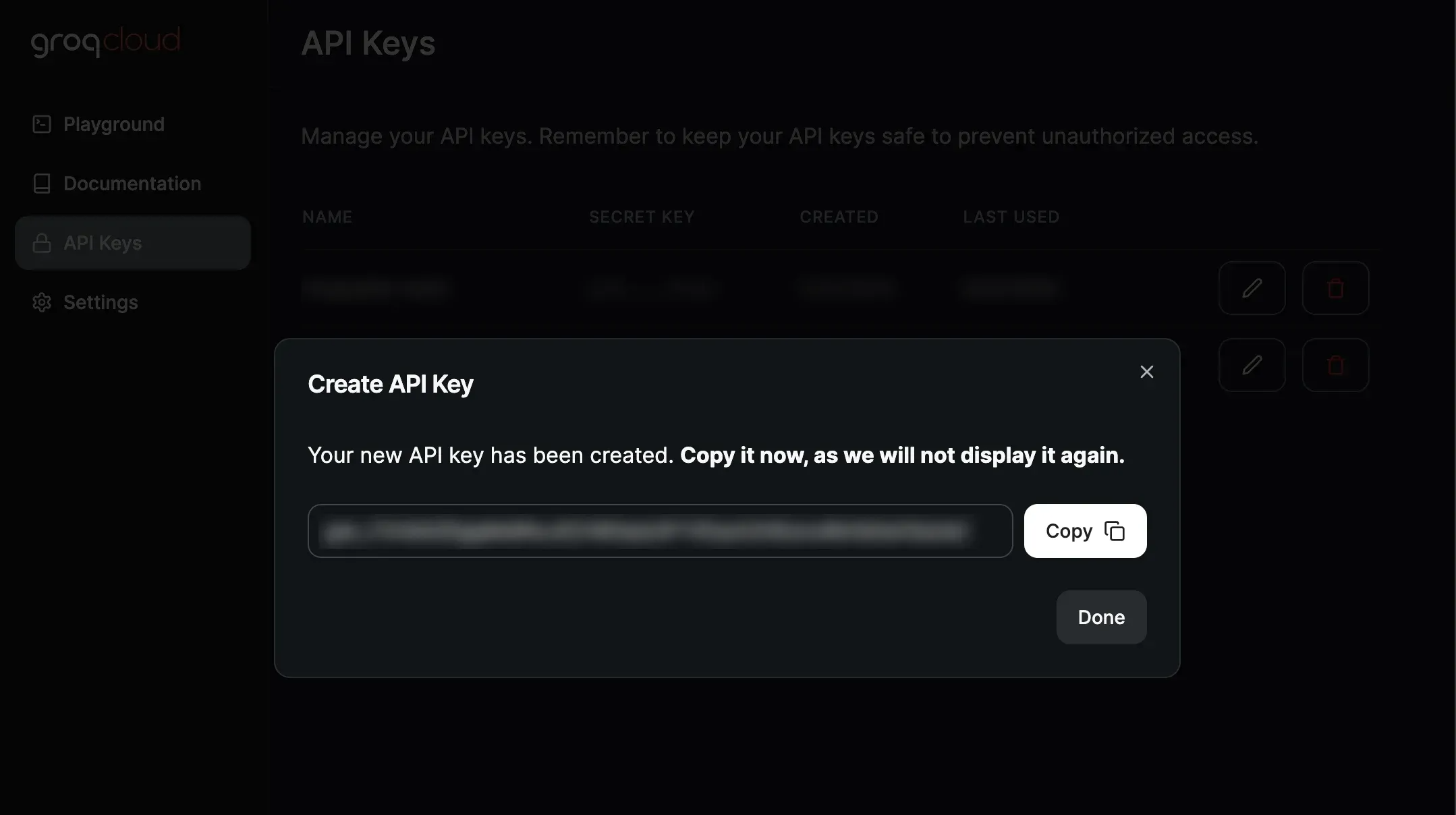
Copy it immediately
Groq shows the secret once— “Copy it now, as we will not display it again.” Click Copy, then Done. If you lose it, delete the key and create a new one.
Paste it into Orty and verify
In Settings → AI & keys, choose Groq API Key, paste the gsk_… key, click Verify, then Save Configuration.
Every other provider Orty supports
The same pattern everywhere: open the provider's key page, create a key, paste it into Settings → AI & keys, then Verify and Save. Free tiers and limits change — check the provider's current terms before you rely on them.
OpenRouter
Sign in, open Keys, create a key. Free models are available on the free tier — check the provider's current limits.
Cerebras
Open the Cloud console, sign in, and create an API key from the API Keys area.
Together AI
Open Settings → API Keys and create a key. Together offers a starter credit for new accounts.
Mistral AI
In La Plateforme, open API Keys and create a key. A free tier is available.
OpenAI
Open API Keys and create a new secret key. OpenAI is pay-per-use — there is no free tier.
GLM (z.ai)
Orty already runs GLM-5.3-Flash for you with no key. A personal key is only needed if you choose to switch providers.
Resend
For the optional email sender: create a sending key, then verify your domain before sending.
SMTP (your own mail server)
No provider key page — use your mail host's app-password or SMTP credential. Find the same fields in Orty → Settings → Email.
Paste and verify in Orty
Open Settings → AI & keys. Every key field shows two links: the provider's real key page, and this guide. Paste the key, click Verify, then Save Configuration.
Your key stays yours
- Encrypted, never plain-text. BYOK keys are sealed with AES-256-GCM using ORTY_BYOK_KEK; only ciphertext is stored. Orty never writes a raw key to a file or to logs.
- Per-request use. Your key is decrypted only for the request you trigger and is used to call your chosen provider directly — nothing is retained in drafts, leads or telemetry.
- Delete any time.Remove the key in Orty's settings or revoke it at the provider. Nothing else in your account is affected.
- No key stored long-term in Supabase. Orty keeps only your account facts and occurrence-only events, never lead content, draft emails or screenshots.
Ready to try it? Open Orty → Settings → AI & keys or see plans and credits.
Screenshots are from public provider walkthroughs (Google AI Studio and GroqCloud) and are shown for guidance only; the provider's live interface is authoritative. Orty is not affiliated with Google or Groq.